2.9K
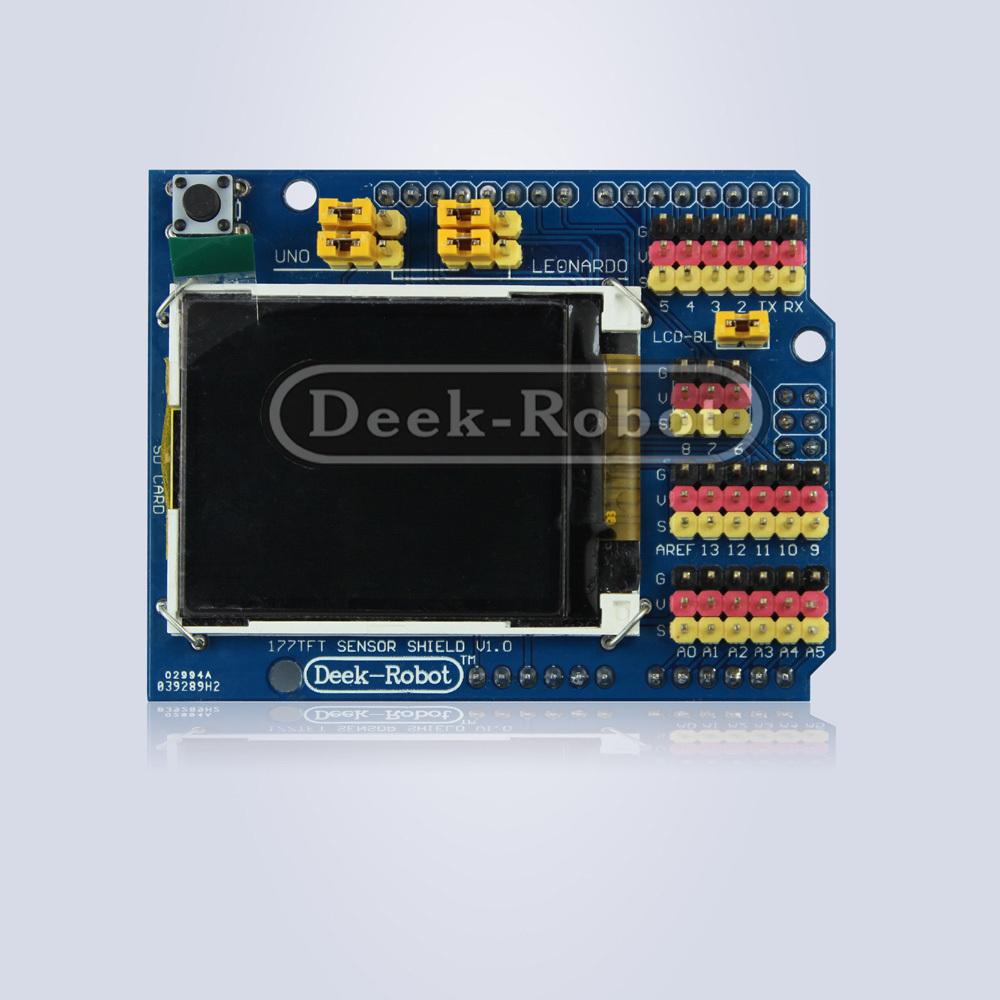
I purchased the following shield but there was limited information about it, it contains a SD card interface and appears to be a TFT shield type. On further investigation I found that the built in TFT library could be used
Code
[codesyntax lang=”cpp”]
#include <TFT.h>  // Arduino LCD library
#include <SPI.h>

// pin definition for the Uno
#define cs   10
#define dc   9
#define rst  8

// create an instance of the library
TFT TFTscreen = TFT(cs, dc, rst);

// char array to print to the screen
char sensorPrintout[4];

void setup() {

  // Put this line at the beginning of every sketch that uses the GLCD:
  TFTscreen.begin();
  // clear the screen with a black background
  TFTscreen.background(0, 0, 0);
  TFTscreen.stroke(255, 255, 255);
  TFTscreen.setTextSize(2);
  TFTscreen.text("Sensor Value :\n ", 2, 2);
  TFTscreen.setTextSize(2);
}

void loop() {

  // Read the value of the sensor on A0
  String sensorVal = String(analogRead(A0));
  sensorVal.toCharArray(sensorPrintout, 4);

  // white font
  TFTscreen.stroke(255, 255, 255);
  TFTscreen.text(sensorPrintout, 2, 22);
  delay(250);

  TFTscreen.stroke(0, 0, 0);
  TFTscreen.text(sensorPrintout, 2, 22);
}
[/codesyntax]
Link
